



Welcome to the Help Center
How to Change the Language
Change the System Language
The OurSMS platform allows users to switch between Arabic and English easily from within the control panel.
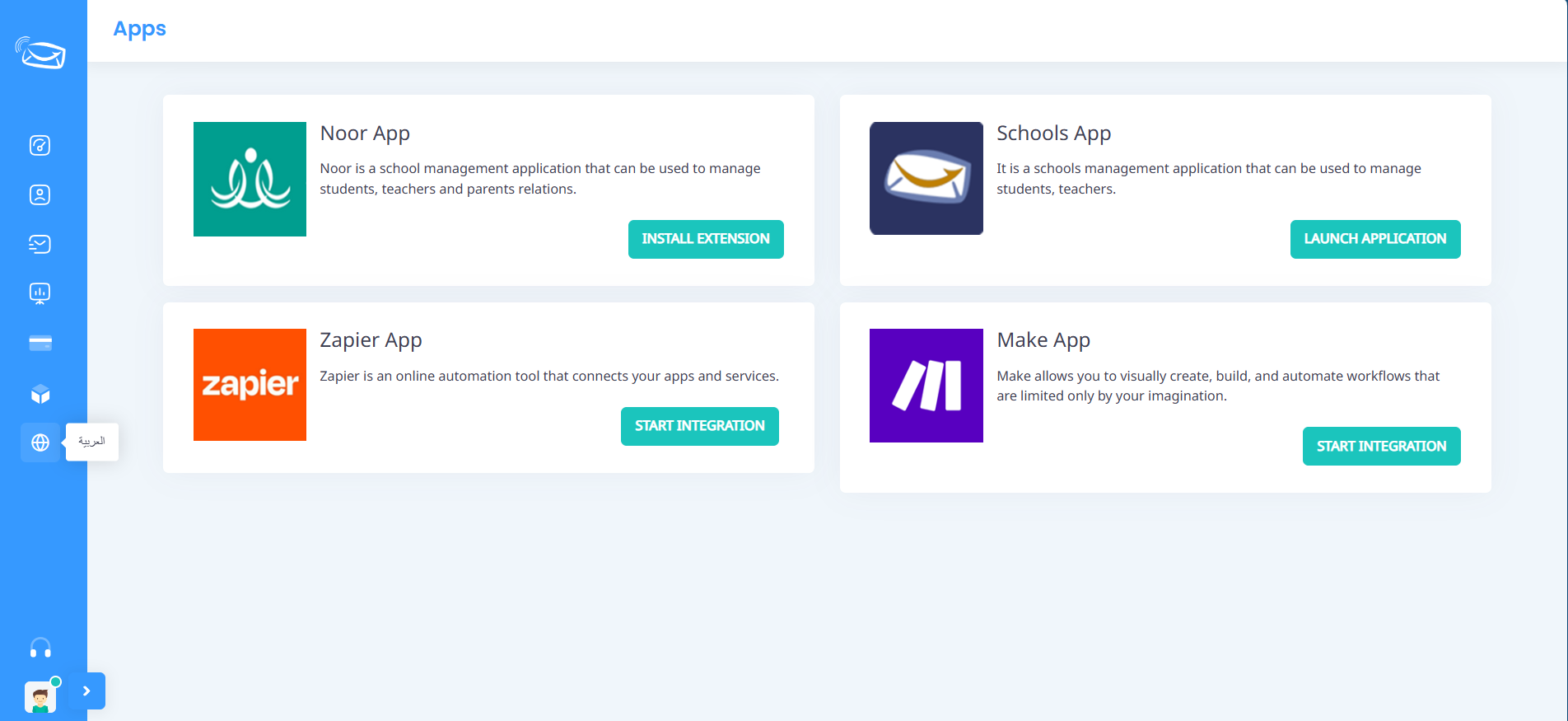
Change the Language to Arabic
Log in to your OurSMS account.
From the side menu, click the Language icon.
Select Arabic from the list of available languages.
The system interface will automatically switch to Arabic.
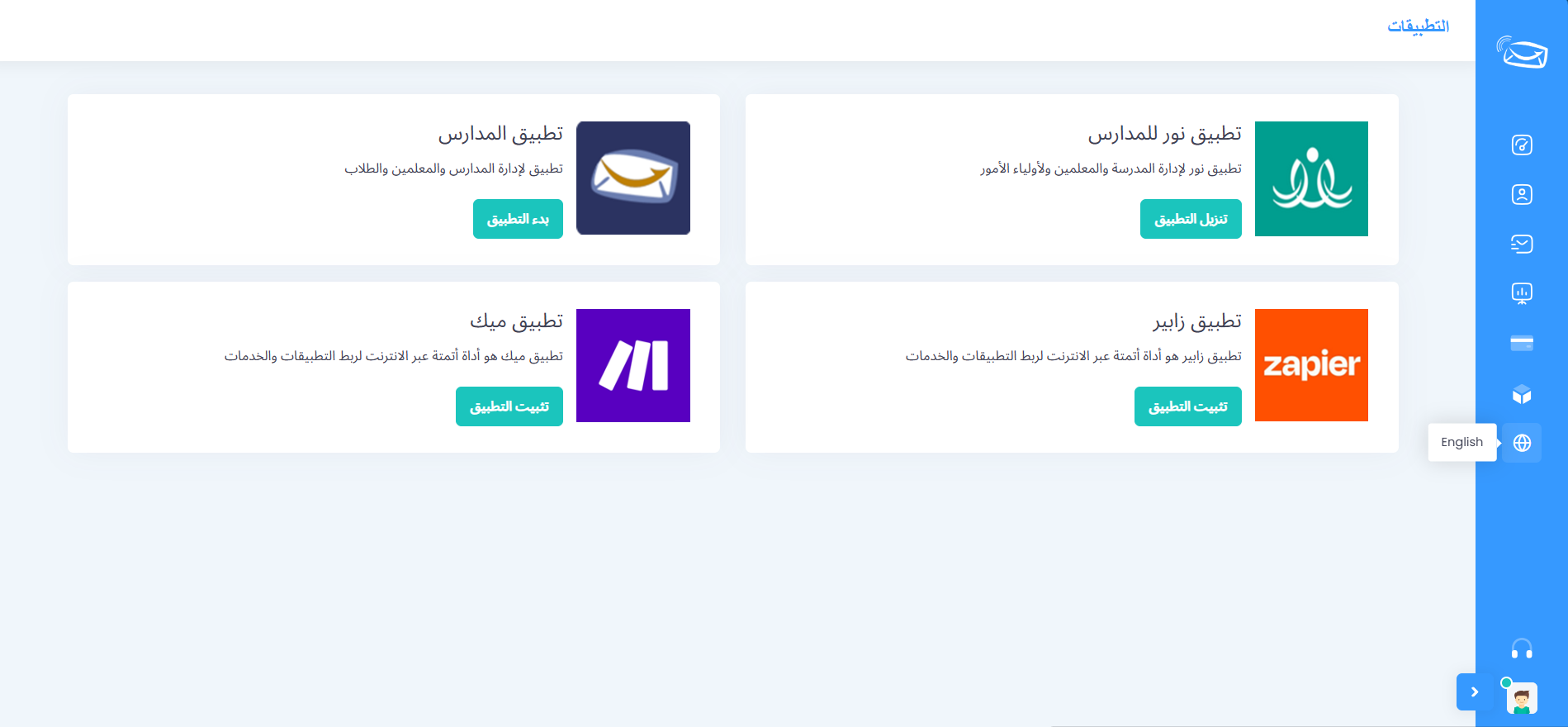
Change the Language to English
Log in to your OurSMS account.
From the side menu, click the Language icon.
Select English from the list of available languages.
The system interface will automatically switch to English.
Important Notes
Changing the language does not affect your account data or messages.
You can switch between languages at any time.
If the change does not appear immediately, refresh the page.
Need Help?
If you experience any issues while changing the language, please contact the OurSMS support team through the Help Center or the available support channels within the platform.