




Welcome to the Help Center
How to create an Api Key
OurSMS allows developers to create API keys for integrating their applications and systems with SMS services securely and efficiently.
Step 1: Access the API Keys Section
After logging in to your OurSMS account, open the side menu and select API Keys under the Developer section.
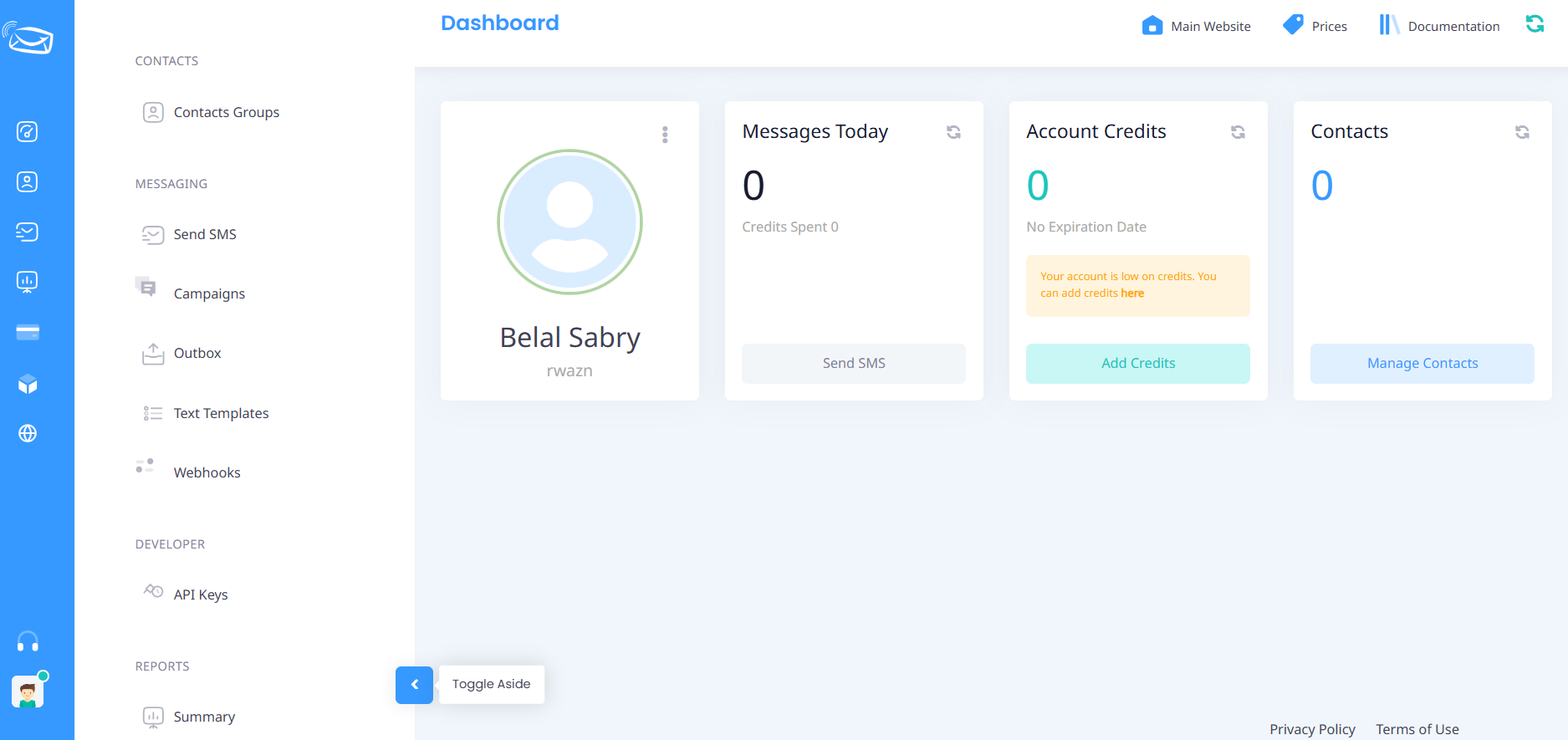
Step 2: Open the API Keys Page
The API Keys page displays all API keys associated with your account.
To create a new API key, click the (+) Add button located at the top of the page.
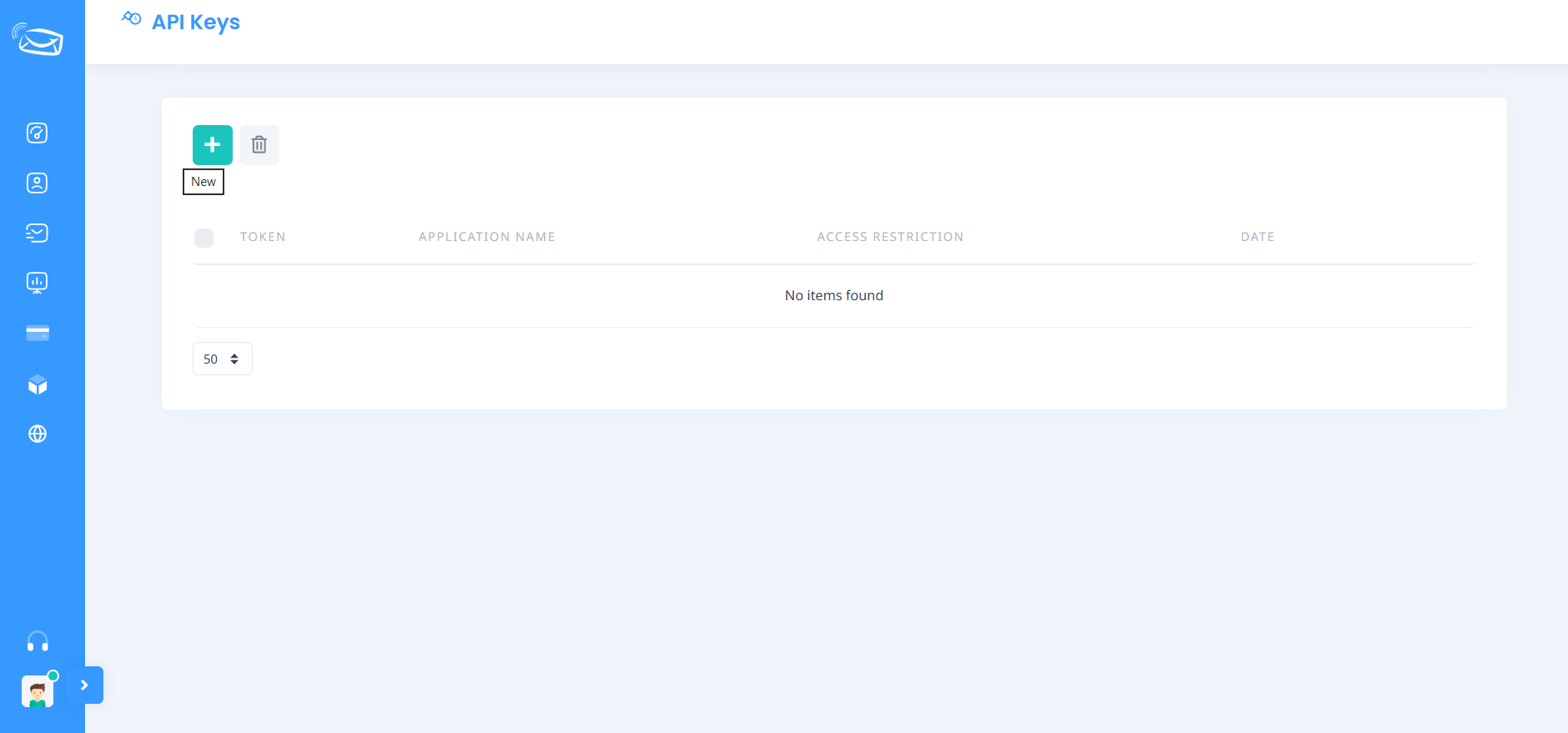
Step 3: Create a New API Key
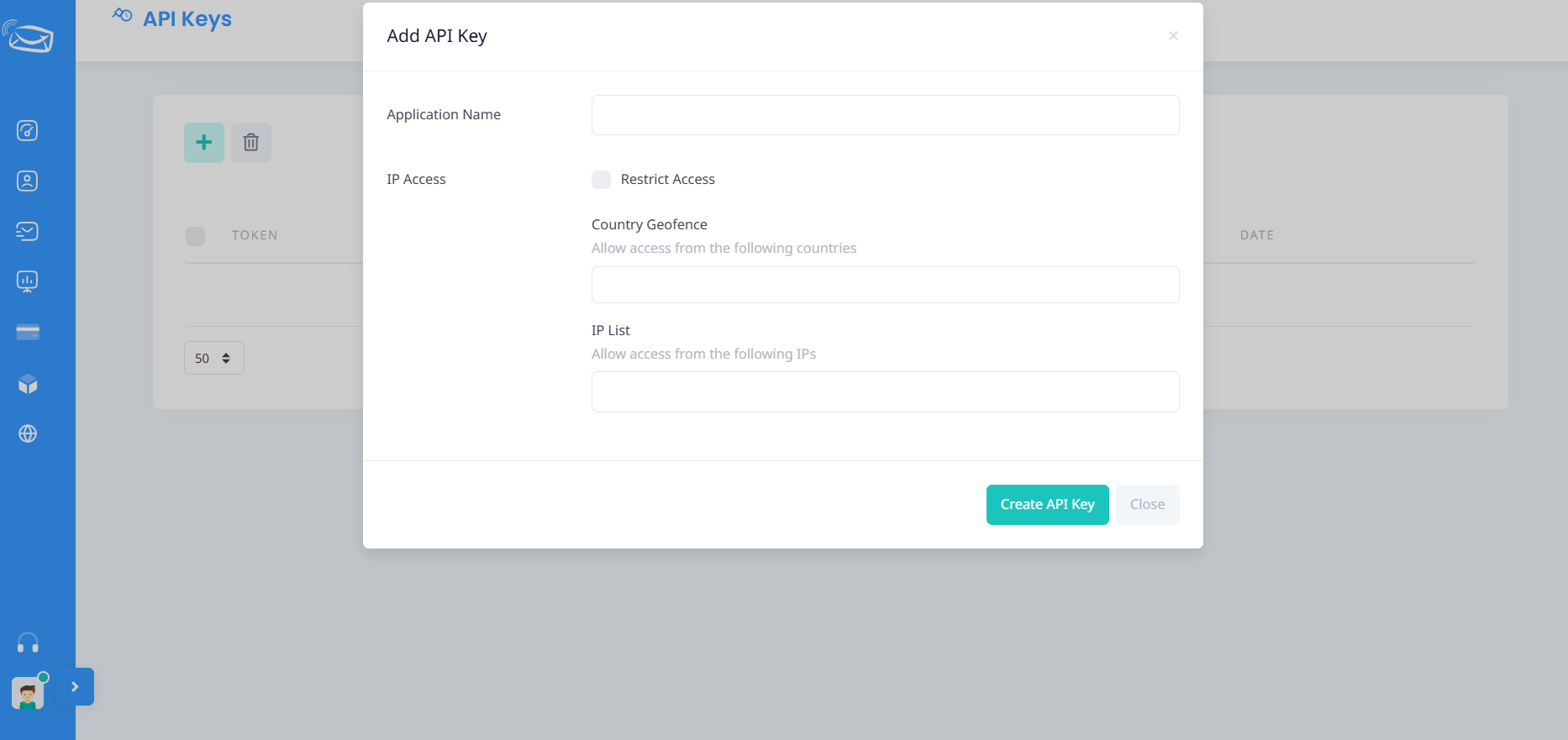
After clicking the Add button, a new window will appear where you can configure your API key.
Application Name
Enter the name of the application or system that will use this API key.
Examples:
- ERP System
- Website Integration
- Mobile Application
Access Restriction (Optional)
You can enable Access Restriction to increase the security of your API key.
When enabled, the API key can only be used from the IP addresses you specify.
Allowed IP Addresses
Enter the IP address of the server or application that will connect to the API.
Example:
192.168.1.1You may add multiple IP addresses if needed.
Geographic Restriction (Optional)
If available for your account, you can limit API access to specific countries.
Why Enable IP Restriction?
Restricting API access by IP address helps you:
- Improve account security.
- Prevent unauthorized use of your API key.
- Protect your SMS balance from abuse.
- Follow cybersecurity best practices.
- Reduce the risk of API key exposure.
Step 4: Generate the API Key
After entering the required information, click:
Create API Key
Your new API key will be generated immediately and displayed in the API Keys list.
Important Notes
- Keep your API key secure and confidential.
- Do not share your API key with unauthorized parties.
- We strongly recommend enabling IP restriction for production environments.
- If your server IP address changes, make sure to update the allowed IP list accordingly.
Technical Support
If you need assistance creating or configuring your API key, please contact our support team: