




Welcome to the Help Center
How to Add Contact Groups
How to Add Contact Groups in OurSMS
The Contact Groups feature in OurSMS allows you to organize your contacts into separate groups, making it easier to send SMS messages to specific audiences without entering phone numbers manually each time.
Contact groups can be used for customers, employees, students, members, or any other category of recipients.
Step 1: Open Contact Groups
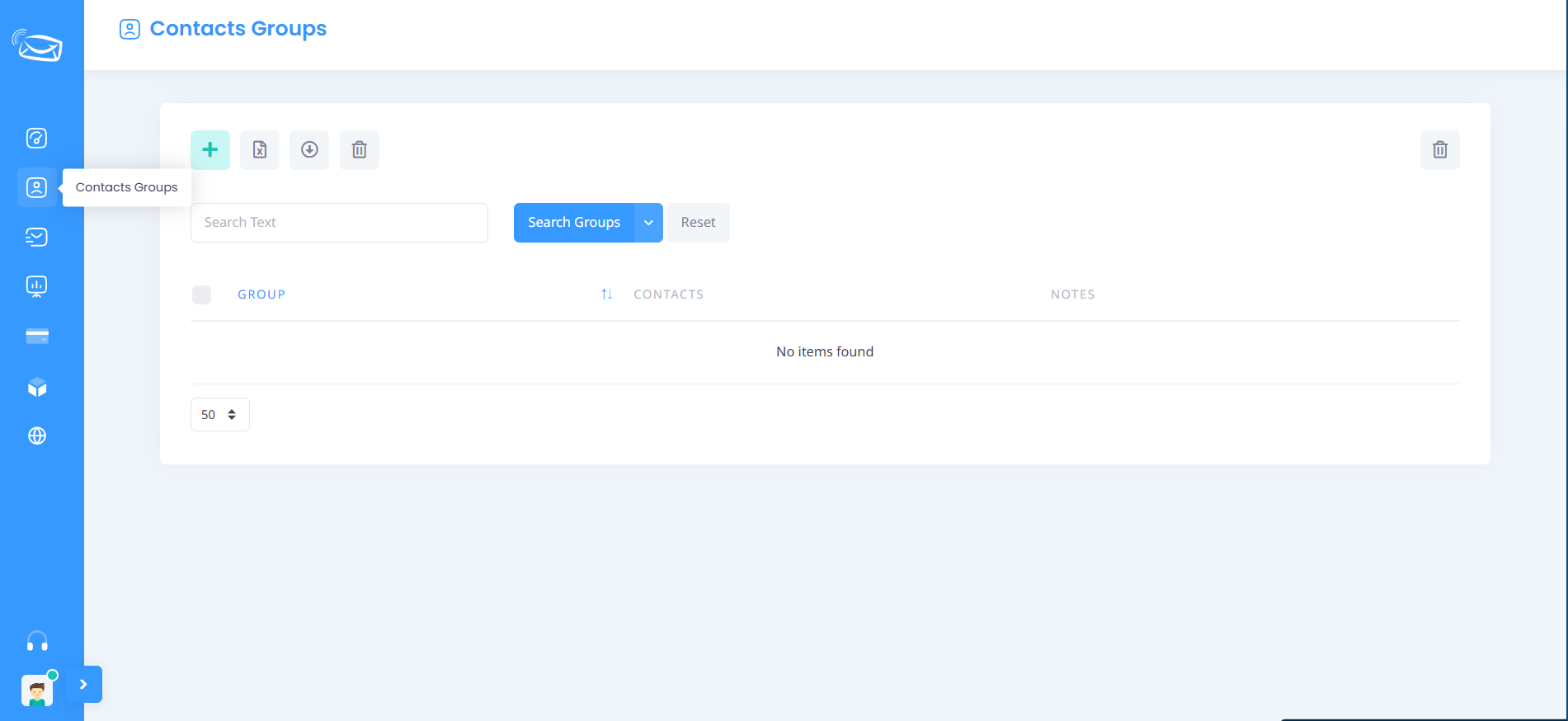
From the side menu, click Contact Groups.
You will be redirected to the Contact Groups management page where all existing groups are displayed.
Step 2: Add a New Group
Click the (+) Add button located at the top of the page.
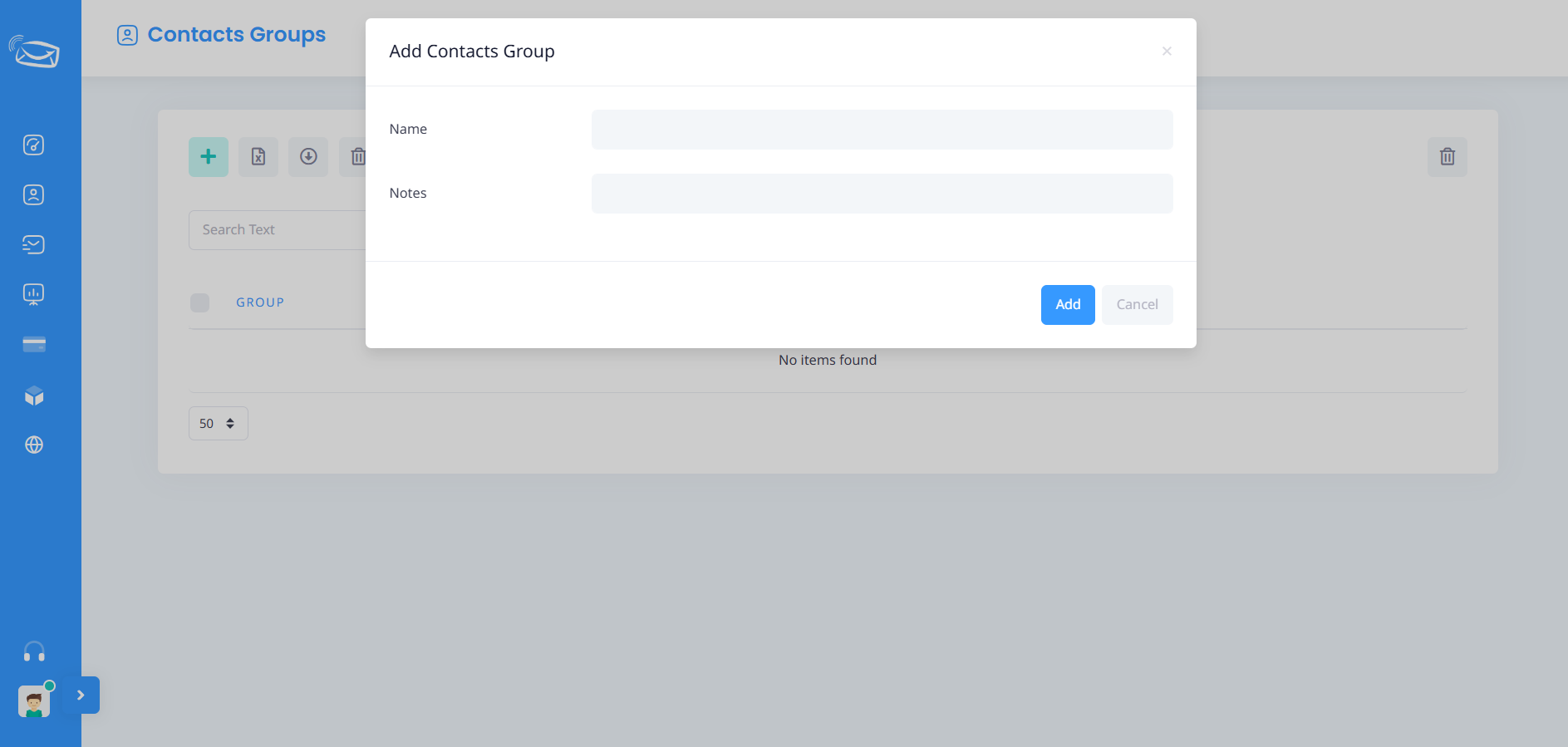
A new window will appear for creating a contact group.
Step 3: Enter the Group Name
In the Name field, enter the name of the group.
Examples:
- Customers
- Employees
- Students
- VIP Clients
Choose a name that clearly identifies the contacts within the group.
Step 4: Add Notes (Optional)
In the Notes field, you may enter additional information about the group.
Example:
Marketing campaign contacts for summer promotions.
This field is optional and can be left blank.
Step 5: Save the Group
Click the Add button to create and save the group.
The new group will immediately appear in the Contact Groups list.
Step 6: Verify the Group
After saving, confirm that the group appears in the Contact Groups page.
You can later add contacts to the group and use it when sending SMS messages.
Benefits of Contact Groups
- Organize contacts efficiently.
- Send SMS messages to multiple recipients quickly.
- Manage customer segments and marketing lists.
- Reduce manual work when creating SMS campaigns.
- Improve communication with targeted audiences.
Notes
- You can create multiple contact groups based on your business needs.
- Group names should be clear and easy to identify.
- Empty groups can be created first and populated with contacts later.
- Groups can be edited or deleted when no longer needed.
Using Contact Groups helps simplify contact management and makes SMS communication more efficient within the OurSMS platform.