




Welcome to the Help Center
How to Request a Balance Recharge via Bank Transfer
Balance Recharge via Bank Transfer
The OurSMS platform allows you to recharge your account balance through bank transfer and submit a payment request directly from the control panel.
This option is suitable for customers who prefer bank transfers instead of online payment methods.
Step 1: Open the Balance Recharge Page
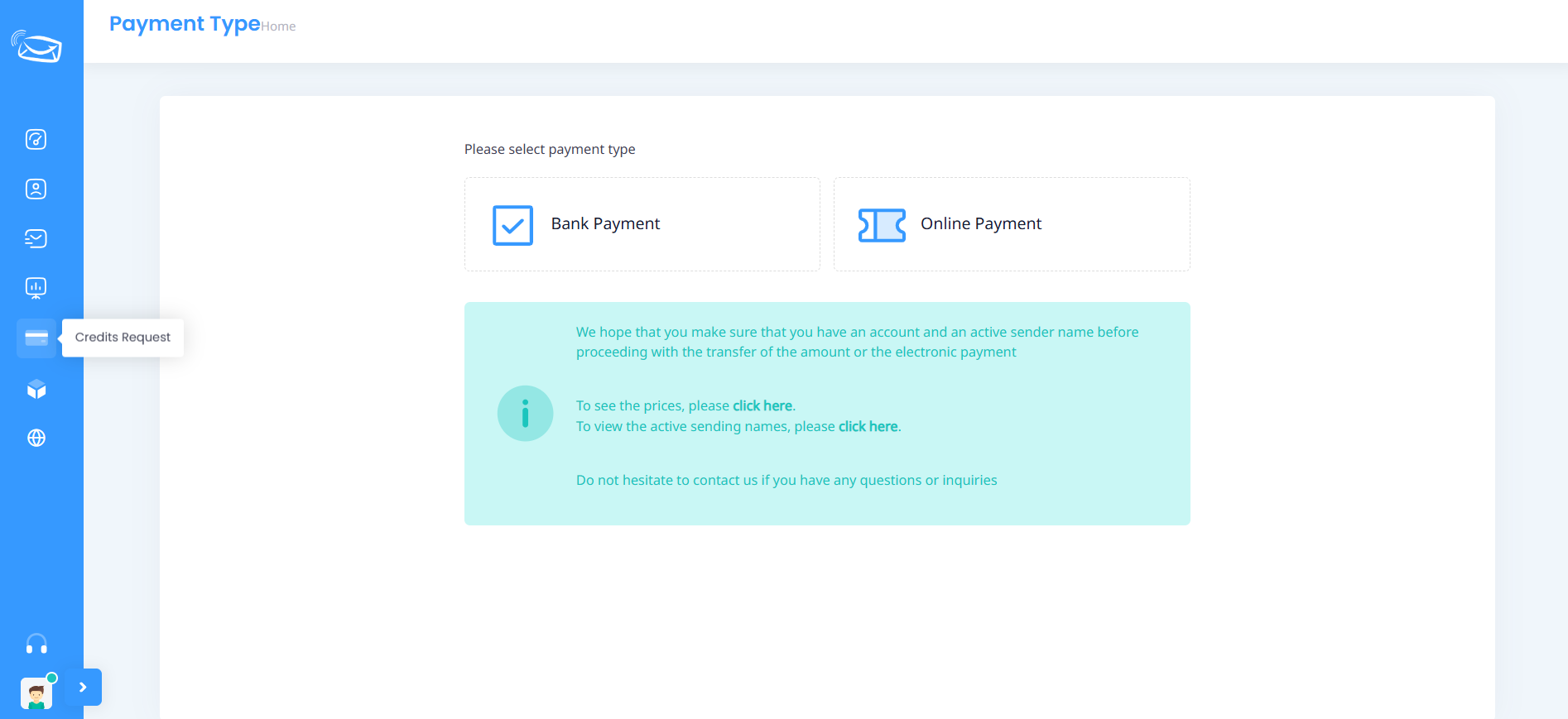
From the side menu, click on Credits Request.
Step 2: Select Bank Payment
Choose Bank Payment as your payment method.
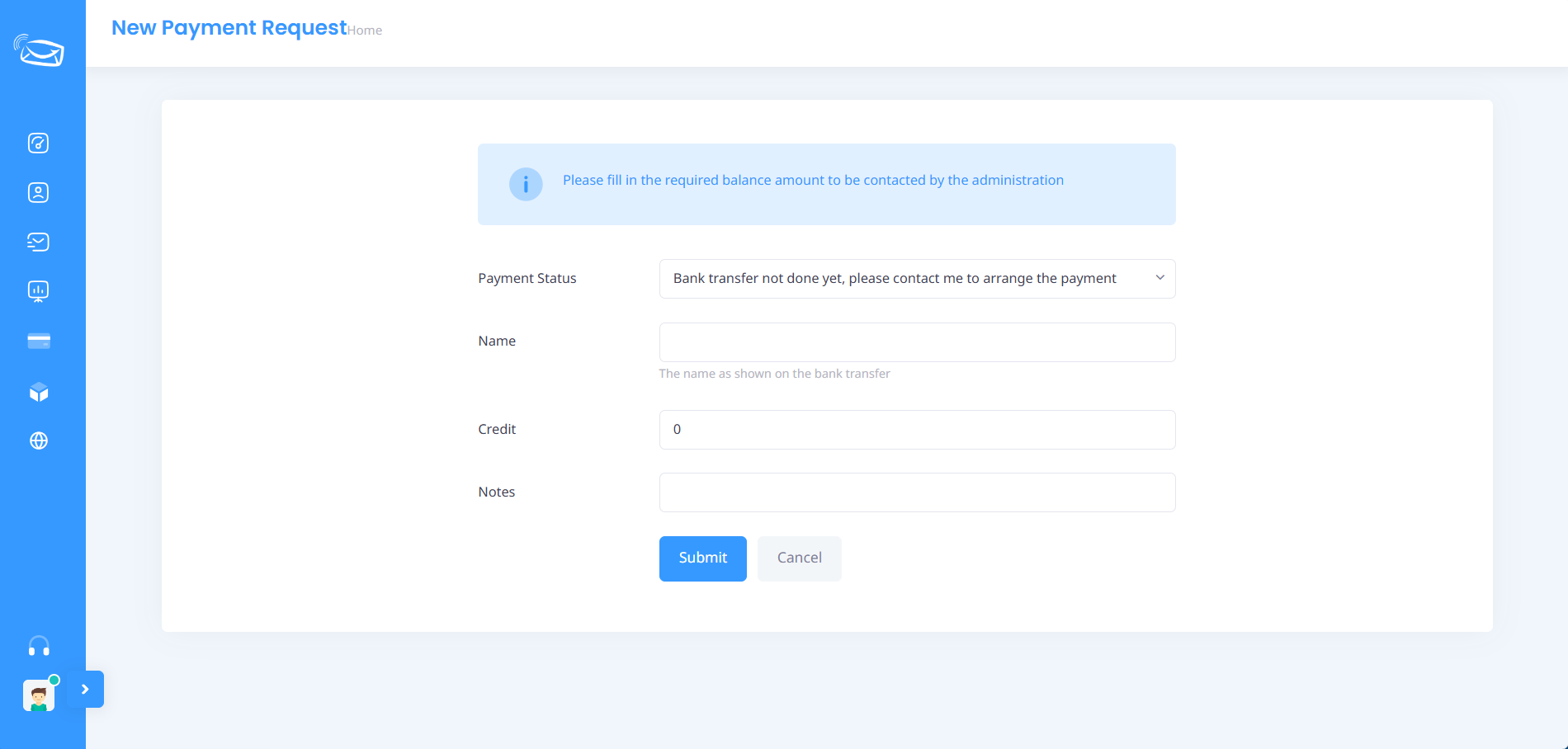
Step 3: Select Payment Status
Choose one of the following options:
- Bank transfer has not been completed yet
- Bank transfer has been completed and confirmed
Step 4: Enter Your Information
Fill in the required information:
- Name
- Credit amount required
- Notes (optional)

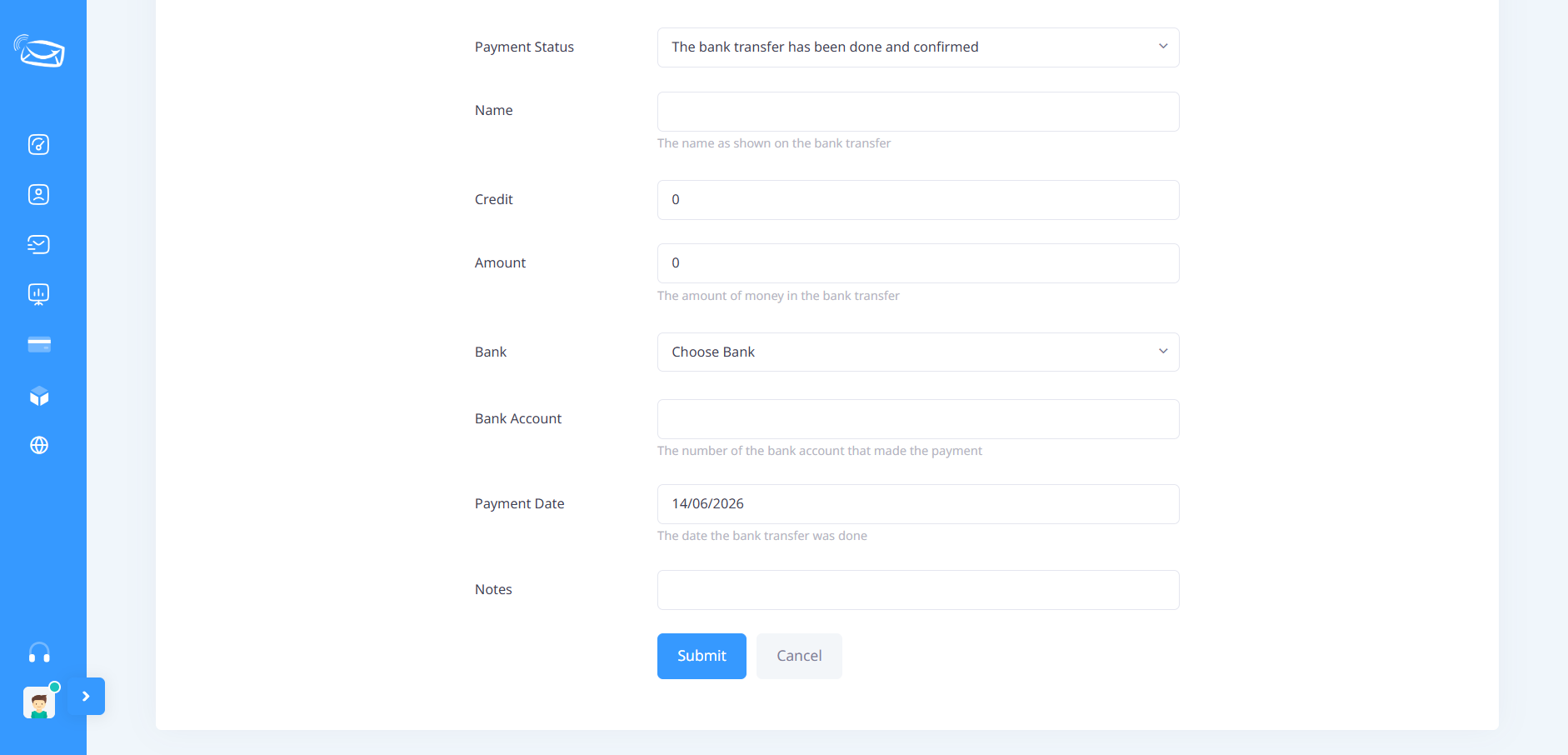
If the transfer has already been completed, additional fields will appear:
- Transfer amount
- Bank name
- Bank account number
- Transfer date
Step 5: Submit the Request
Click Submit to send the recharge request to the administration team.
The request will be reviewed and the balance will be added after verification.
Important Notes
- Make sure the transfer information is accurate.
- Keep a copy of your transfer receipt.
- The account balance will be updated after payment verification.
- Contact support if you need assistance.