



Welcome to the Help Center
How to Recharge Your Balance Using Online Payment
Using Online Payment
The OurSMS platform allows customers to recharge their balance instantly using secure online payment methods.
Supported payment methods include:
- Mada
- Visa
- MasterCard
Step 1: Open the Balance Recharge Page
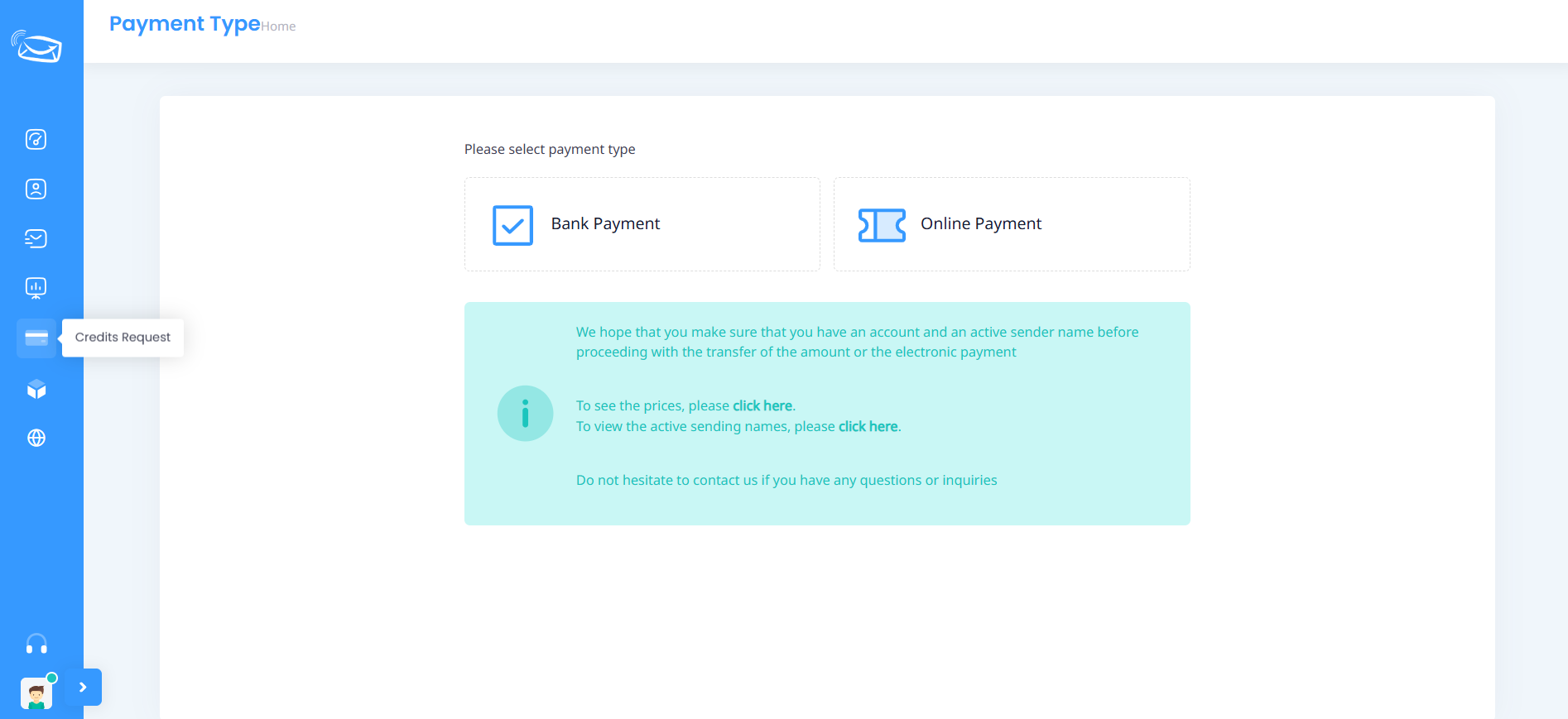
From the side menu, click on Credits Request.
Step 2: Select Online Payment
Choose Online Payment from the available payment options.
Step 3: Select a Package
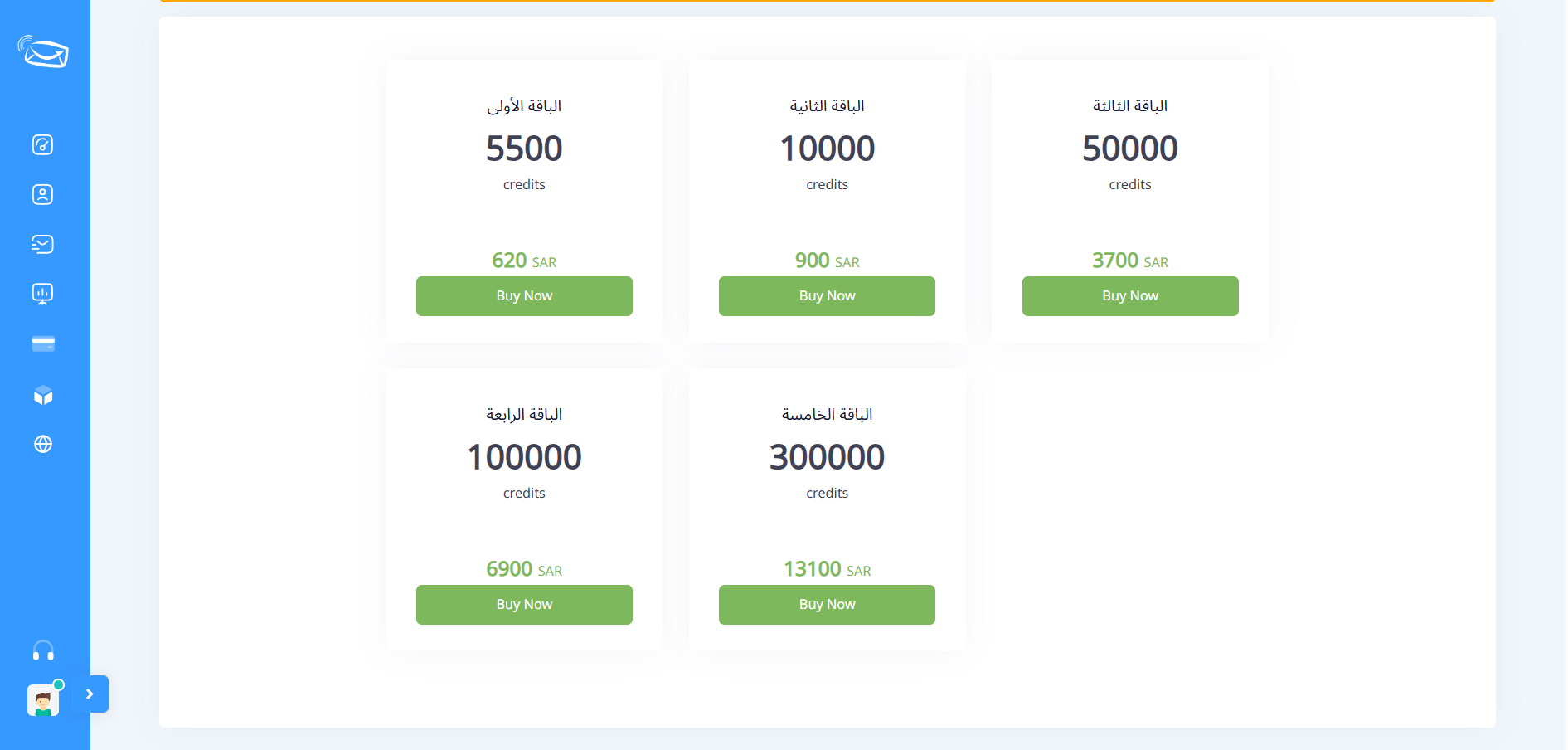
Choose the package that best matches your needs.
Available packages may vary depending on current pricing plans.
Step 4: Click Buy Now
Press the Buy Now button below the selected package.
Step 5: Enter Billing Information
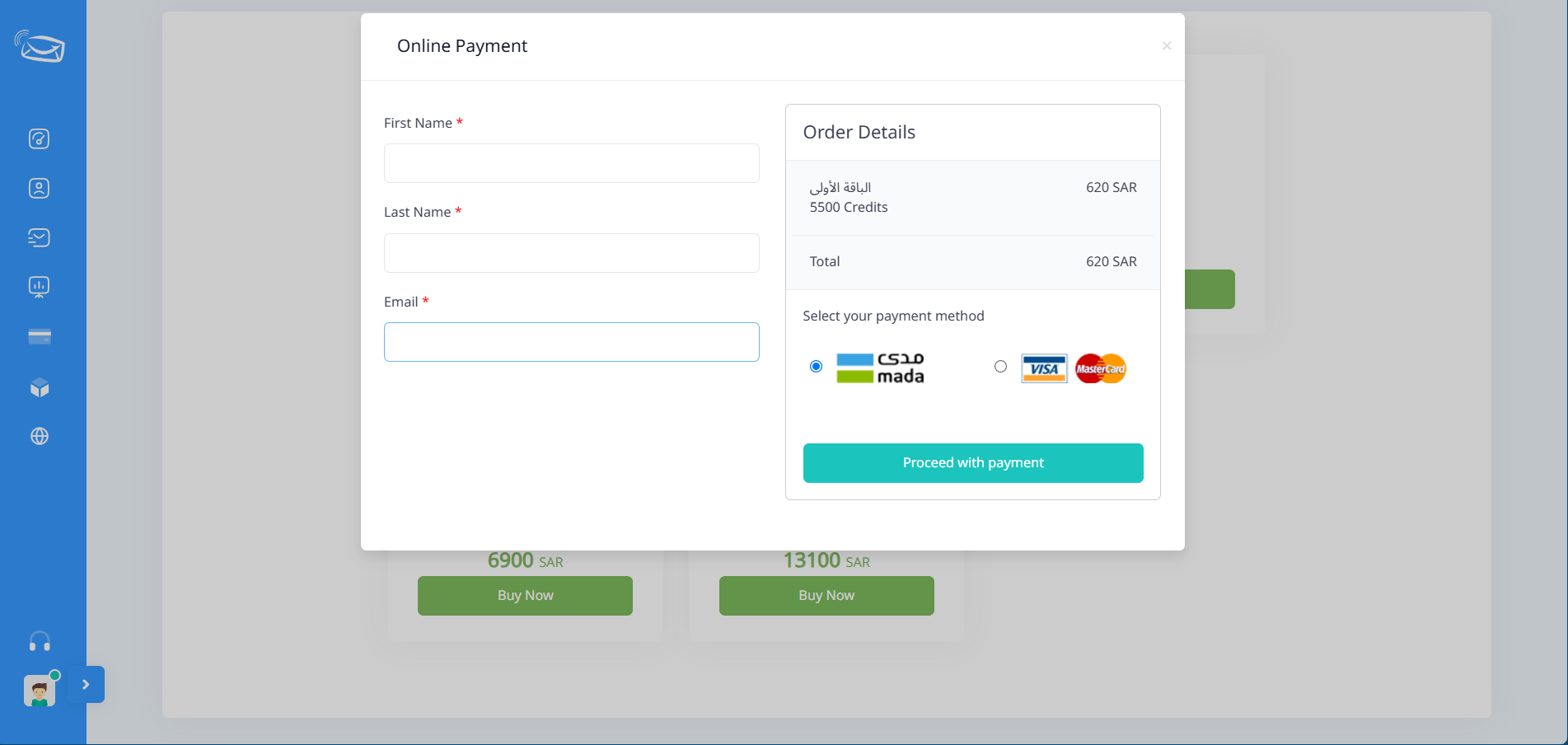
Fill in the required information:
- First Name
- Last Name
- Email Address
Step 6: Choose a Payment Method
Select your preferred payment method:
- Mada
- Visa
- MasterCard
Step 7: Complete the Payment
Click Proceed with Payment and follow the payment gateway instructions.
Once the payment is successfully completed, the balance will be added automatically to your account.
Important Notes
- Ensure your email address is entered correctly.
- The balance is usually added immediately after successful payment.
- Contact support if the balance does not appear after payment completion.
- Keep a copy of the payment confirmation for reference.